

Description
Download Aiseesoft iPhone Cleaner – iPhone storage cleaner, fast cleanup, secure
Overview & Core Features
Aiseesoft iPhone Cleaner is a dedicated utility designed to reclaim precious storage space on iOS devices. If your iPhone feels sluggish, apps crash, or you constantly receive “storage full” warnings, this tool provides a streamlined solution. By scanning for junk files, temporary caches, unused applications, duplicate photos, and oversized media, it helps you free up space with just a few clicks. The software runs on a Windows or macOS computer, connecting to your iPhone via USB, and leverages the latest iTunes framework to ensure reliable communication. While the program offers a 30‑day trial, full functionality requires a paid license—an investment that many users find worthwhile for the speed boost and peace of mind it delivers. The interface is modern and intuitive, making it accessible even for non‑technical users. In addition to basic cleanup, the app includes a safety‑level system that lets you choose how aggressively data is removed, protecting essential files from accidental deletion. Whether you need to clean up after a large video shoot, delete residual app data, or simply keep your device humming, Aiseesoft iPhone Cleaner positions itself as a comprehensive, secure, and easy‑to‑use solution.
Key Feature List
- Quick Scan – Detects junk files, caches, and temporary data in seconds.
- Large File Finder – Highlights videos, podcasts, and other bulky items.
- App Uninstaller – Removes unused apps directly from your computer.
- Photo & Video Cleaner – Finds duplicate and blurry photos for deletion.
- Safety Levels – Low, medium, and high removal modes to safeguard important data.
- One‑Click Erase All – Optional bulk delete with three safety thresholds.
- Secure Data Handling – No data is uploaded to the cloud; all cleaning occurs locally.
- Cross‑Platform Compatibility – Works on Windows 10/11 and macOS 10.15+.
- Regular Updates – Frequent patches keep the software compatible with the latest iOS releases.
- Support for iTunes Integration – Requires the latest iTunes for seamless device detection.
Installation & Usage Guide
Getting started with Aiseesoft iPhone Cleaner is straightforward. First, download the installer from the official Aiseesoft website. Choose the version that matches your operating system—Windows or macOS. Once the download completes, run the installer and follow the on‑screen prompts; the process typically takes under five minutes. After installation, launch the application and register using your email address and the registration code provided in your purchase confirmation. The trial version will automatically limit certain features, but you can still explore the interface.
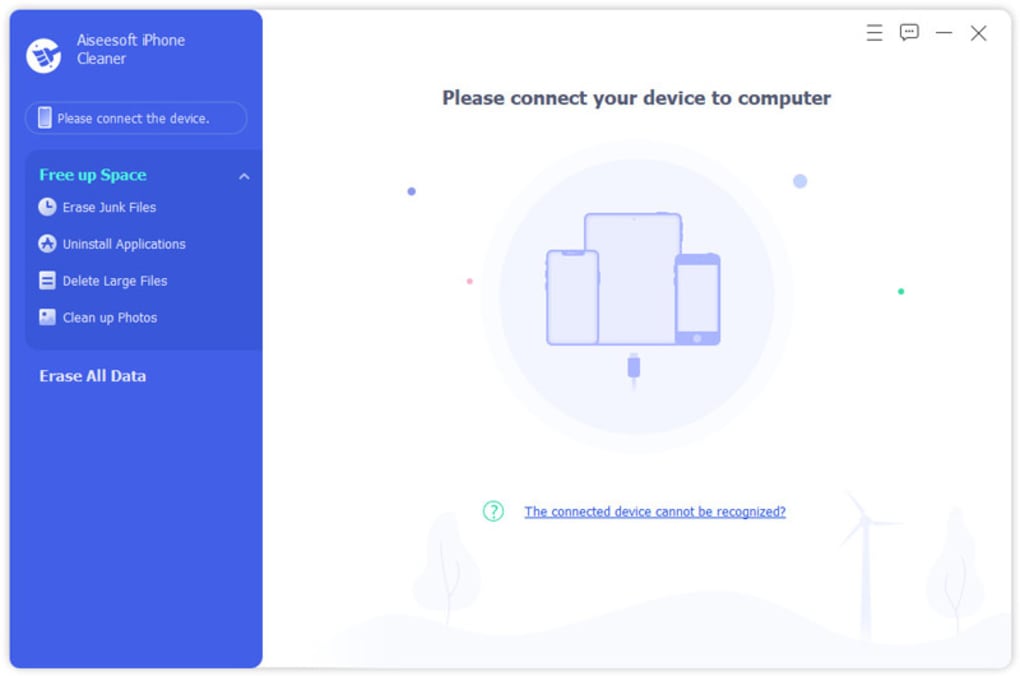
Connect your iPhone to the computer using a genuine USB cable. The software will detect the device and prompt a “Trust This Computer” dialog on the iPhone. Tap Trust and enter your device passcode. Once the connection is established, click the Quick Scan button. The scanner will analyze the device storage, categorizing files into junk, apps, large files, and photos. Results appear in an easy‑to‑read list, each item accompanied by a checkbox.
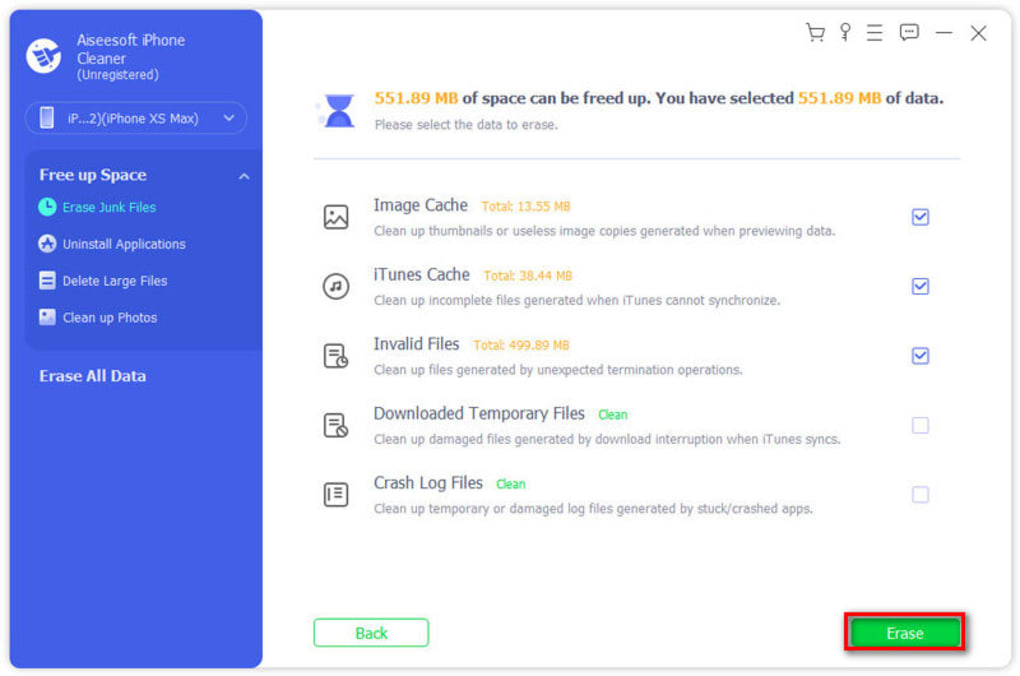
To free up space, select the items you wish to delete and choose an action from the Free Up Space dropdown menu: Erase Junk Files, Uninstall Applications, Delete Large Files, or Clean Up Photos. For bulk removal, the Erase All Data button provides three safety levels. Low level removes only obvious junk, medium adds temporary caches, and high level includes system logs and other expendable data—though it never touches your saved passwords or files in the native Files app.
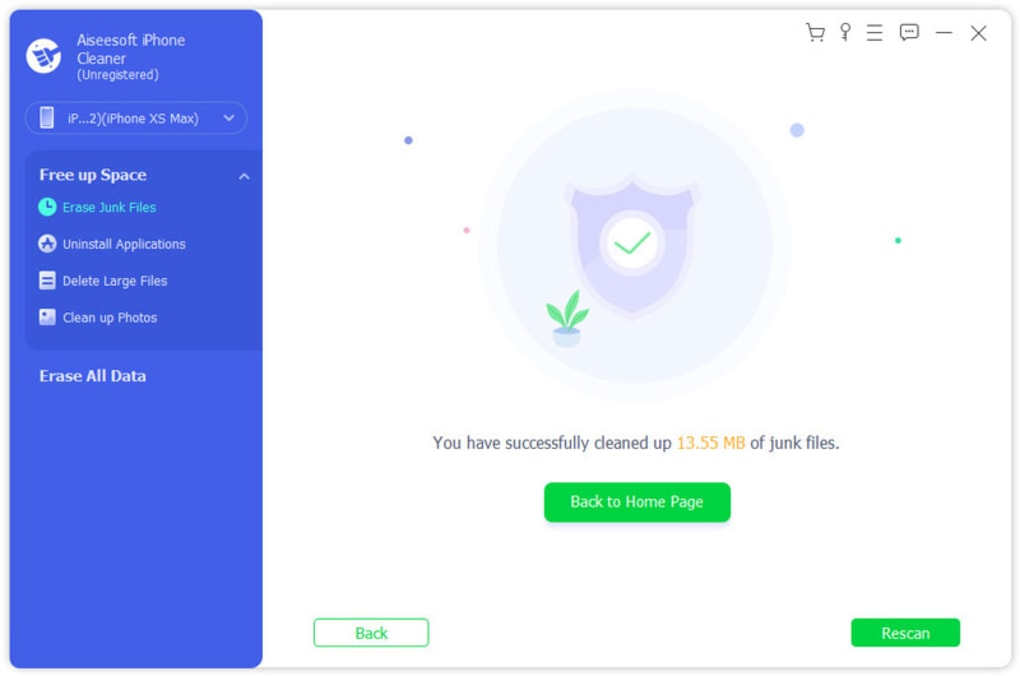
After confirming your choices, the software will execute the cleanup. Progress is displayed in real time, and once completed, a summary report shows the amount of space reclaimed. For ongoing maintenance, you can schedule periodic scans or manually run Quick Scan whenever you notice performance lag. Remember to keep the latest iTunes version installed, as Aiseesoft iPhone Cleaner relies on its drivers for stable communication.
Compatibility, Pros & Cons
Aiseesoft iPhone Cleaner is built for both Windows and macOS platforms. On Windows, it supports 10, 11, and the latest 64‑bit editions. macOS users need version 10.15 (Catalina) or newer, with full compatibility up to macOS Ventura. The tool requires the most recent iTunes (or Apple Mobile Device Support on Windows) to recognize iOS devices. It does not run directly on iPhone, iPad, or Android—rather, it works as a companion app on your desktop, ensuring powerful processing without draining mobile battery life.
Pros
- Comprehensive scanning covers all major storage hogs.
- Intuitive UI reduces learning curve for beginners.
- Safety level system protects critical data.
- Fast cleanup—most scans finish within minutes.
- Regular updates keep it compatible with new iOS releases.
- Local processing guarantees privacy; no cloud upload.
Cons
- Full version requires a paid license—no perpetual free tier.
- Only works via a computer; no direct iPhone app.
- Trial version limits the number of files you can delete.
- Relies on iTunes, which some users consider outdated.
- Large files detection may miss some hidden caches in rare cases.
Frequently Asked Questions
Is Aiseesoft iPhone Cleaner safe for my data?
Yes. The program performs all cleaning operations locally on your computer and never uploads files to the cloud. Additionally, the safety‑level feature lets you choose how aggressive the cleanup is, minimizing the risk of accidental deletion.
Do I need iTunes installed?
A current version of iTunes (or Apple Mobile Device Support on Windows) is required for the software to recognize and communicate with your iPhone. Without it, the device will not appear in the app.
Can I use the tool on macOS Ventura?
Yes. The latest release of Aiseesoft iPhone Cleaner supports macOS 10.15 and newer, including Ventura. Just ensure you have the latest macOS update and iTunes installed.
What happens after I delete photos with the cleaner?
Deleted photos are permanently removed from the iPhone’s camera roll. The app does not move them to a recycle bin, so be certain before confirming deletion. You can back up photos to iCloud or your computer first if you’re unsure.
Is there a refund policy if I’m not satisfied?
Aiseesoft offers a 30‑day money‑back guarantee for paid licenses. If the software does not meet your expectations, you can request a refund within this window.
Conclusion & Call to Action
In the crowded market of iPhone maintenance tools, Aiseesoft iPhone Cleaner stands out for its thorough scanning engine, user‑friendly design, and robust safety controls. While it isn’t a free app, the time saved and performance boost often justify the modest price tag, especially for users who frequently capture high‑resolution media or install many apps. By handling cleanup on a desktop, the program avoids taxing your iPhone’s battery and leverages the power of your computer to process large file sets quickly. If you’re dealing with storage warnings, laggy app launches, or simply want to keep your device lean, downloading Aiseesoft iPhone Cleaner is a practical step toward a smoother iOS experience.
Ready to reclaim your iPhone’s space? Download Aiseesoft iPhone Cleaner now, try the 30‑day trial, and see how many megabytes you can free with just a few clicks. For those looking for a no‑cost alternative, consider Macgoo Free iPhone Cleaner, but remember that the comprehensive features and dedicated support of Aiseesoft often make the investment worthwhile.
Pros: Fast scan, intuitive UI, safety levels, regular updates.
Cons: Paid license required for full features, dependent on iTunes.
Guides & Tutorials for Aiseesoft iPhone Cleaner
How to install Aiseesoft iPhone Cleaner
- Click the Preview / Download button above.
- Once redirected, accept the terms and click Install.
- Wait for the Aiseesoft iPhone Cleaner download to finish on your device.
How to use Aiseesoft iPhone Cleaner
This software is primarily used for its core features described above. Open the app after installation to explore its capabilities.
User Reviews for Aiseesoft iPhone Cleaner 0
No reviews found





.webp)